Survive4Life is a now-abandoned game project I developed for fun and to challenge myself. The idea was ambitious: blend the mechanical depth of automation and tower defense with the visual simplicity of a 2D infinite side scroller. While the project is no longer under active development, it reflects a lot of the design thought, problem-solving, and lessons I gained during its creation. I’d love to return to it someday.
At its heart, Survive4Life was a fusion of games I loved. Think of it as:
- Block-based crafting and building (inspired by Minecraft and Terraria)
- Side-scrolling exploration (which I chose to make things simpler to get started, 3D is one Dimension more Comlex)
- Tower defense mechanics (to give automation a purpose)
- Automation systems similar to Factorio
The goal was to create a compelling gameplay loop where players fight off threats, gather and manage resources, and build systems to automate survival, all while progressing toward long-term sustainability.
Another central idea was:the longer you survive, the more life and capabilities you gain.
It was also designed to be mobile-friendly, as it was developed during the rise of mobile gaming Area.
To begin, I implemented an infinitely scrolling 2D environment, usingPerlin Noise to generate hills and valleys. I had previously explored this idea in another DIY Minecraft Project.
Like Minecraft, a certain number of chunks are loaded around the player. Chunks too far away are reused—like an infinite treadmill.
The green boxes around the surface blocks represent a performance optimization: only blocks exposed to air have hitboxes. This significantly reduces physics calculations, as calculating collisions for every single block would have been extremely inefficient.
Next came cave generation:
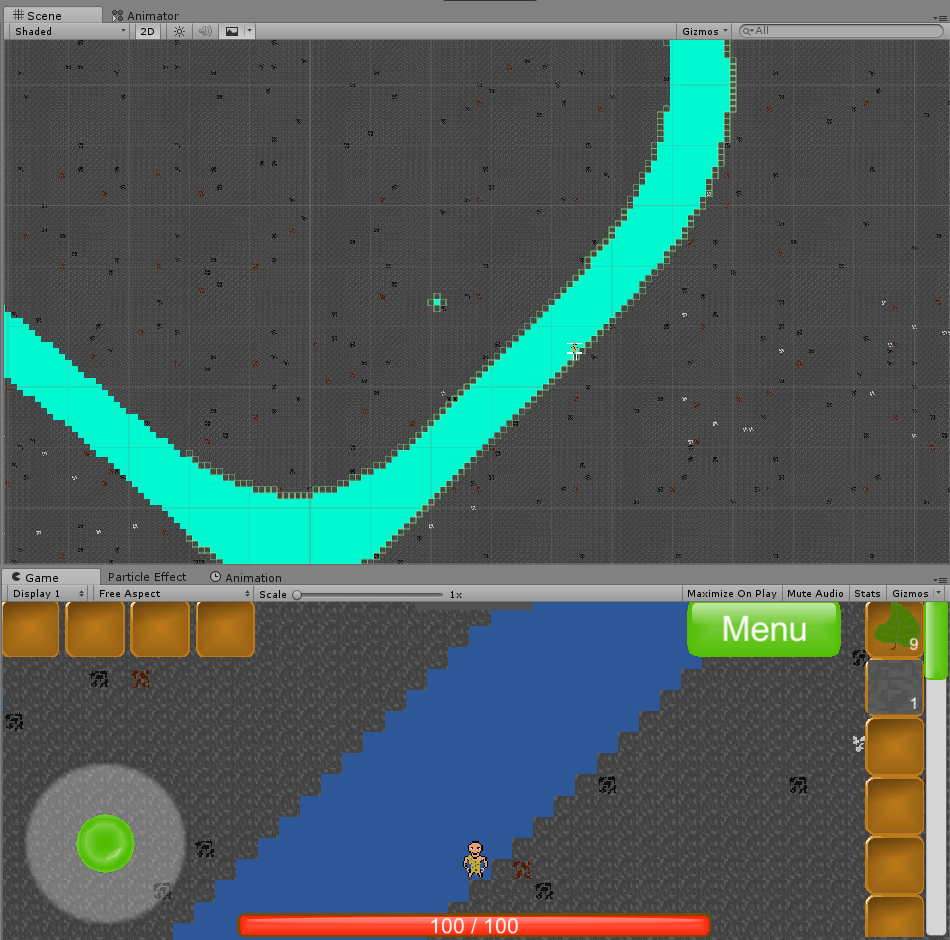
Above you can see a dynamically generated cave. While the shape is simple, it’s infinitely scalable and completely code-generated.
To make the world feel less flat, I implemented parallax backgrounds a simple visual trick that simulates depth by moving distant background layers more slowly.
All the pixel art was created by me, mostly on my phone, since my computer time was limited by my parents.
Next, I added Ore spawning at different depths (you can see coal,iron and aluminum in the cave screenshot). This was meant to eventually support automated mining, but for a proof of concept, manual mining was sufficient.
The game already featured a crafting box and a smelting furnace:
A classic pickaxe recipe, allowing faster mining.
Smelting in progress:
- The upper bar shows time remaining.
- The lower bar shows how much fuel is left.
I built a custom save system that serializes changed blocks into a custom format. This allowed the game to be saved and reloaded without losing any player-made changes, something you truly begin to appreciate when you need implement it yourself and its not just given like in any other game.
This also enabled random structure spawning, like trees or huts, to make the world feel more alive.
The hut shown in the crafting video is one such auto-generated structure from a Save File. These Structures are Spawned at Random in the Procedural generated World. Trees are another Structure that is Spawned in the world.
Here’s what a save file looks like:
PlayerInv:35;5|7;5|33;4|34;1|5;7|x|x|x|x|x|x|x|x|x|x|x|x|x|x|x|x|x|x|x|x|x|x|x|x|x|
PlayerArm:x|x|x|x|
<WorldData: Overworld>(101.9, 150.0)
<64,144>13,5,1/
<80,144>7,5,0/7,6,0/7,7,0/7,8,0/7,9,0/
<80,-160>15,13,0/
<80,-144>15,1,0/
<96,-160>2,15,0/
<96,-144>7,6,0/7,12,0/14,13,0/15,9,0/
<112,-144>0,14,0/1,5,0/1,6,0/1,7,0/1,8,0/2,5,0/2,6,0/2,7,0/2,8,0/3,9,0/
</WorldData: Overworld>- The player has 5 coal (block ID 35) Items in their first inventory slot.
- The armor slots are empty.
- Player is in the Overworld and at Position:
X: 101.9,Y: 150 - Several blocks in chunk
(80,144)are replaced by Air (block ID 0) identified by X,Y in Local Chunk Position and the Block ID as third Number
Here’s a demo video of the building and saving system:
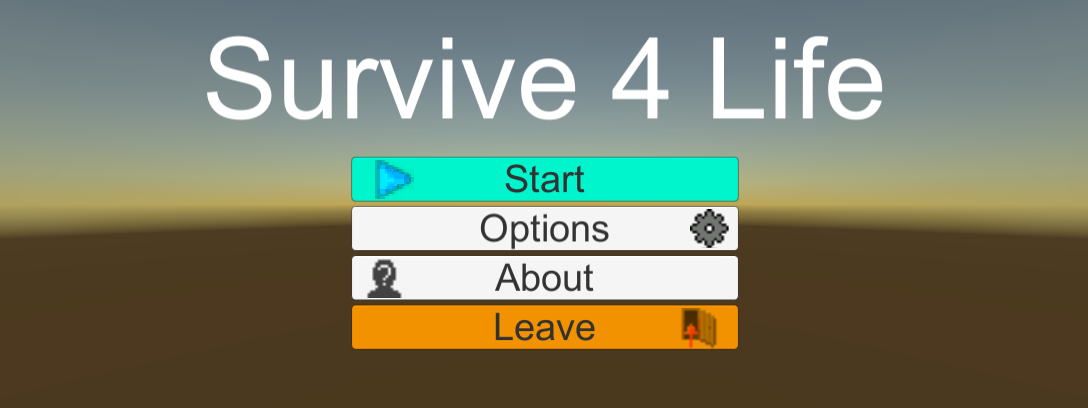
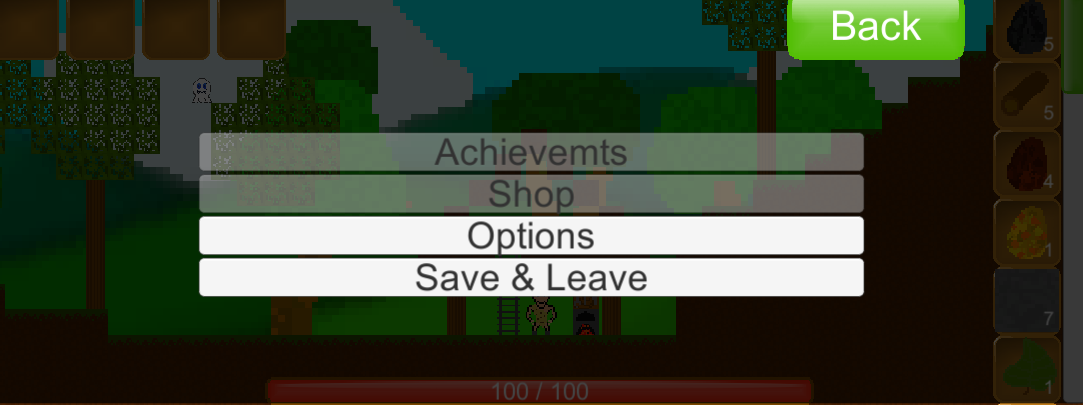
I created a full UI and inventory system, including custom drag-and-drop logic. All icons were hand-drawn by me. Not the most stylish, but functional and would have beeneasily replaceable in the Future.
Main Menu:
In-Game Menu:
Death Screen:

The Player sprite was designed by me. The first enemy was based on a scribble my girlfriend made at the time. I refined it into digital sprites and animated it.
Player animations (idle, running, jumping):


Enemy animations (idle, walk, bite):


Enemy movement used a modified A* pathfinding system adapted for 2D side-scrolling navigation. It included a gravity penalty, ensuring only reachable paths (via jumping) were chosen.
A* provided waypoints, but making them physically reachable (e.g., jumping correctly) was another challenge entirely.
Want to learn more? I based it partly on this excellent write-up: How to Adapt A* Pathfinding to a 2D Grid-Based Platformer – Daniel Branicki
Later, I multithreaded the pathfinding system for performance gains:
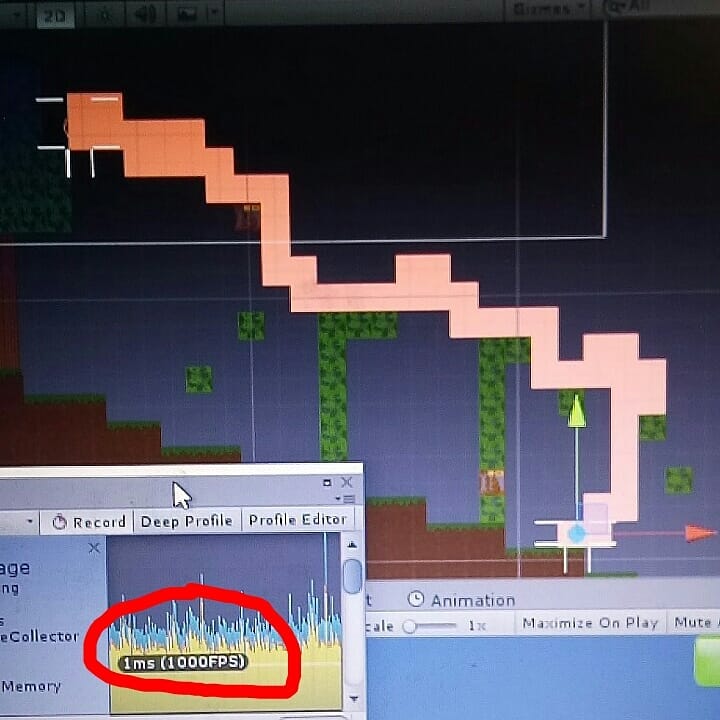
In the video, the monster calculates a path to the player in real time.
-Blue nodes: calculated path -Red nodes: jump points
The last thing I worked on before pausing the project was a conveyor system. When placing conveyor belts, I optimized them in real time into waypoints, making entire conveyor lines a single computational unit.
This prevented each segment from needing its own computational logic, increasing Calculation Load for every Segment Placed.
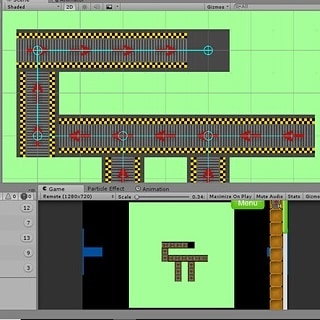
You can see the light blue optimized waypoints in the conveyor system.
Survive4Life became a sandbox for learning.
- Modular Code & Interfaces: I quickly learned the value of clean architecture.
- Refactoring Early: Fixing a known problem early saves much more time later.
- Expandable Design: I used a block-class system for world generation, allowing easy expansion for custom blocks (e.g., crafting tables, mineable ores).
- Separation of Concerns: I built a reusable
Healthclass to manage HP for both players and enemies—without mixing it into unrelated logic of the Player for Example.
I’m proud of what I accomplished, even though the game is rough and incomplete. I hope to return to it one day. And maybe this inspired you to start your own ambitious side project.
Thanks for reading.